How to Update WAHA
April 14, 2026 in Install by devlikeapro1 minute

This guide covers how to update WAHA to the latest version depending on how you deployed it:
Sessions are safe
Your sessions will survive the update as long as session data is persisted via one of the supported 🗄️ Storages:
- Local — a volume mounted to
/app/.sessions - PostgreSQL or MongoDB — external database
Docker
👉 Installed using Deploy WAHA on Docker guide? Here’s how to update.
When there’s a new version of WAHA, update it with these commands.
docker compose pull
docker compose up -d# Login to pull the latest Plus image
docker login -u devlikeapro -p {KEY}
docker compose pull
docker logout
docker compose up -dPinned version tag?
  </div>
<div class="callout-body">
  <p>If you specified an exact version tag in <code>docker-compose.yaml</code>, like:</p>
image: devlikeapro/waha-plus:latest-2024.7.8Remember to update it to the new latest-{YEAR}.{MONTH}.{BUILD} tag before pulling.
</div>
You can verify the running version and check logs after updating:
# Check running containers
docker compose ps

# Show recent logs
docker compose logs --since 1h
EasyPanel
👉 Installed using Deploy WAHA on EasyPanel guide? Here’s how to update.
When you want to update the image on EasyPanel, go to the Deployments tab of your waha service and click Force Build:
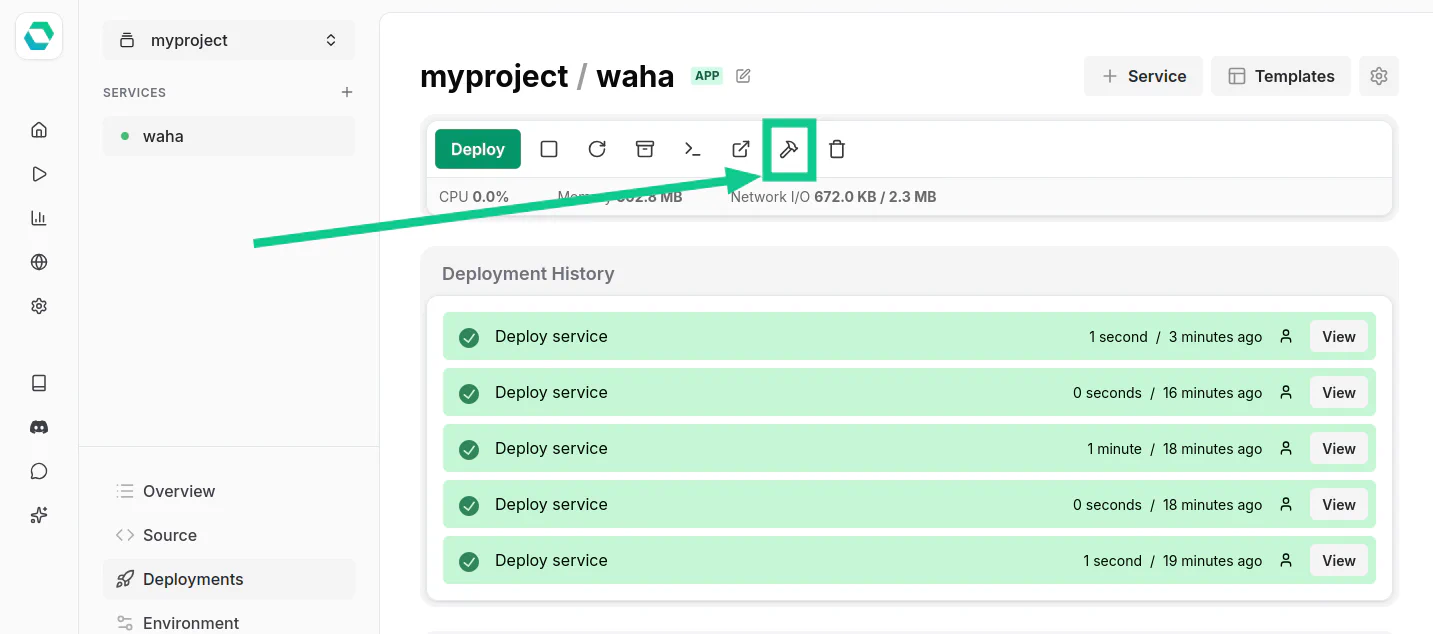
EasyPanel will pull the latest image and redeploy the service.
Coolify
👉 Installed using Deploy WAHA on Coolify guide? Here’s how to update.
When there’s a new version, open your WAHA app in Coolify and click Redeploy to pull the latest image and restart the service:
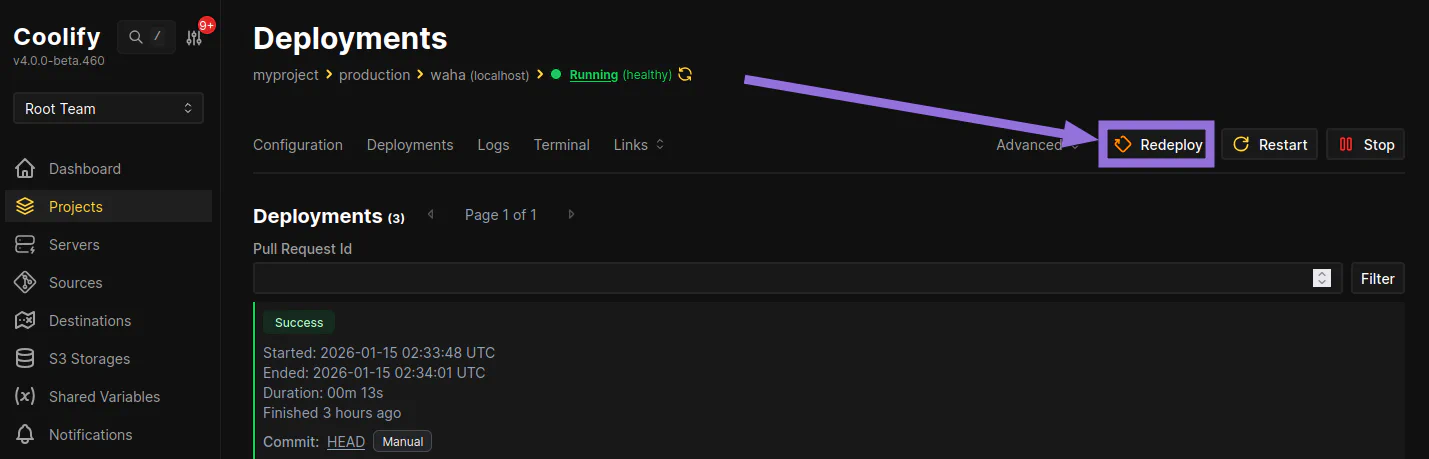
Coolify will pull the latest image and restart the container automatically.